A card game on the iBasket. Part 1
Background story
We have a pack of cards in HackerspaceSG called SET. It's about giving different parts your brain a little excercise. Counts, colors, shapes and fillings are the four attributes of every card. You should recognize sets of 3 cards which has these 4 attributes all in common or all different. During play we faced 2 problems:
- there might be a set amongst the cards on the table but no one can find it.
- someone has pointed out a set, but what if he is wrong and no one notices it?
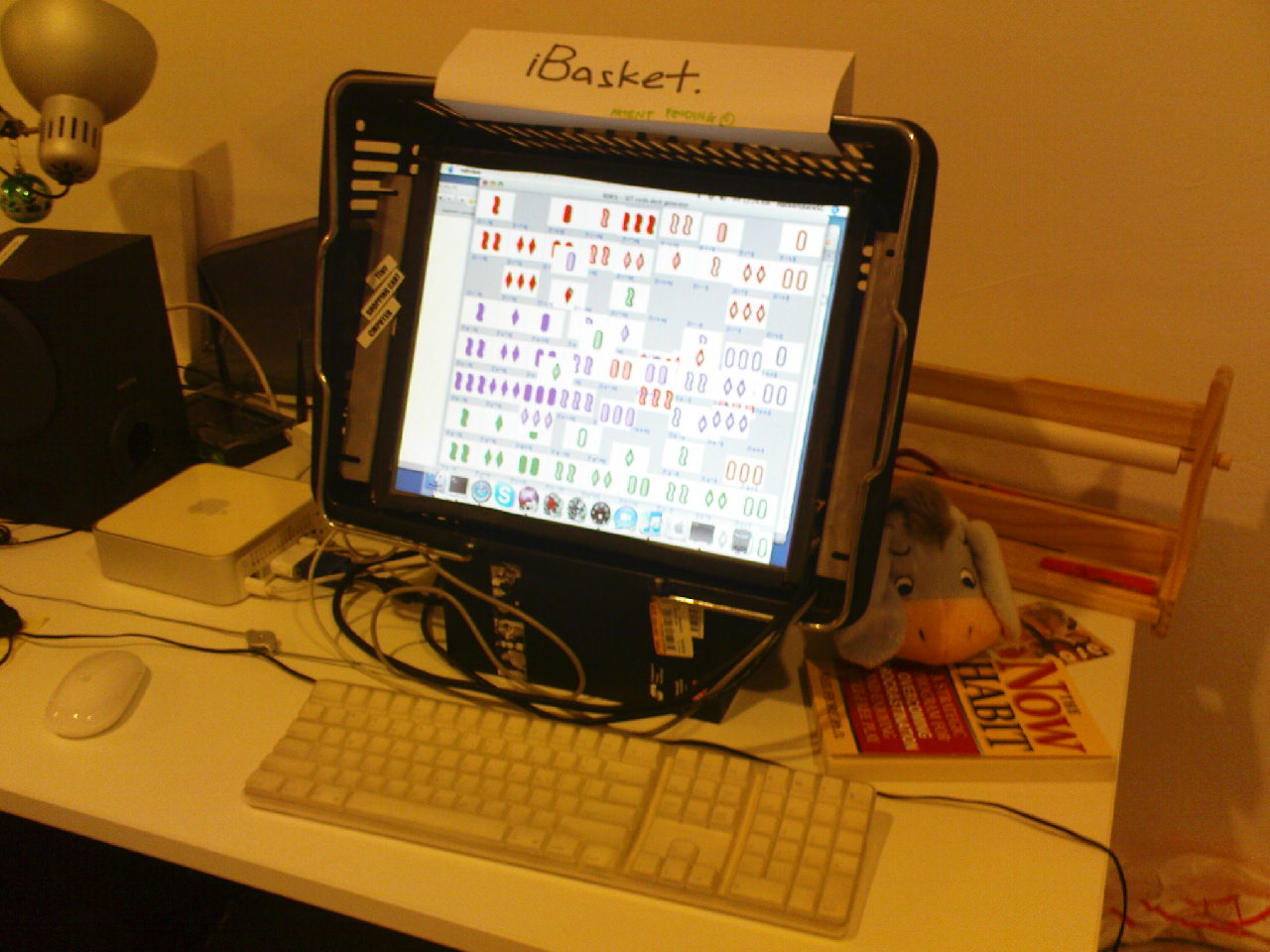
Since we have just revived an old touch screen in the hackerspace and put it into a shopping basket - hence the name iBasket, a'la iPad - I though it will be a nice platform for this card game.
Deck of cards
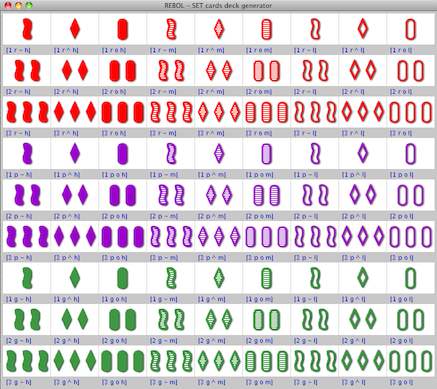
Each card is described by the vector of the 4 attributes, hence the complete deck consists of the direct multiplication of these attribute sets which has 3 elements each. It means we should end up with 3^4 = 81 cards.
counts: [1 2 3] ; this is obvious :)fills: [h m l] ; Heavy Medium Lightcolors: [r p g] ; Red Purple Greenshapes: [~ ^ o] ; Peanut Diamond Oval; the attributes in each vector are ordered like this:order: reduce [counts colors shapes fills]deck: copy [] ; we start with an empty deck
First I took a primitive approach: each attribute is like a digit in number base 3, so if I implement an increment function, then I can generate all the cards just by a loop. I will revisit this later, to see what kind of other algorithms can we apply here.
incr: func[ {Increment position in a non-empty series of
  non-empty serieses and stuck at the end} s] [
  s/1: next s/1
  if (tail? s/1) and (not empty? next s)
    [s/1: head s/1 incr next s] ; carry
  s
]

until [ ; generate cards into the deck
  insert/only tail deck collect [ foreach attrib order [keep attrib/1] ]
  incr order   tail? last order
]
Visualization
I could draw the cards with vector graphics, but it would be quite a distraction from the main goal and I don't have much experience in programmed artwork creation anyway. Luckily I saw on the game's website some small GIF files representing the cards, so I'm just referencing those for now.
As the 1st exercise I just display all the cards in a 9x9 matrix with the symbolic representation of them printed below each card, so the application layout should be like this:
image ... text ... image ... text ... (9times) return to the new column
(and this pattern is repeated 9 times)
With a little bit of meta programming we can generate this GUI description:
card-url: http://www.setgame.com/images/setcards/small/
gui: collect [ i: 1
  loop 9 [
    loop 9 [
      keep compose [
        image (rejoin [card-url either i > 9 [i] [join "0" i] %.gif])
        vtext blue (mold pick deck i)
      ]   i: i + 1
    ]
    keep 'return
  ]
]
We spice the display parameters a bit, so the whole deck can fit the 1024x768 screen:
view layout append [origin 5x5 space 1x1] gui
Interactivity
I remembered a small demo where you can move around a rectangle with the mouse, so I just the event handler code from there. It doesn't care about popping the grabbed card on top of the Z-order, though. We can deal with it later.
feel [
  engage: func [f a e] [  ;intercepts target face events
    if find [over away] a [
      f/offset: confine f/offset + e/offset - f/data f/size
        0x0 f/parent-face/size
      show [f]
    ]
    if a = 'down [f/data: e/offset]
  ]
]
Result
It can be downloaded from http://sa.sse.hu/~onetom/setcards for now. Later I will find a better place for it.
Download the <1MB, crossplatform (Win/Lin/Mac) script interpreter which is just 1 executable file. Put it into your PATH and run this from the command line:
rebol http://sa.sse.hu/~onetom/setcards
Wait until it downloads the card images for the 1st time. It automagically saves it into the application data folder, so next time it will just looks up whether they changed or not. This is a built-in functionality of the GUI system
Screenshot
The inevitable screenshot: